Choose your destinations
Start by typing the city you want to visit. CityWalk Plan supports 50+ destinations worldwide including Tokyo, Paris, New York, London, Barcelona, Seoul, and more.
Want to visit two cities in one trip? Click + Add destination to add a second city. You can plan up to 2 destinations in a single itinerary — perfect for multi-city trips like Tokyo + Kyoto or Paris + Amsterdam.
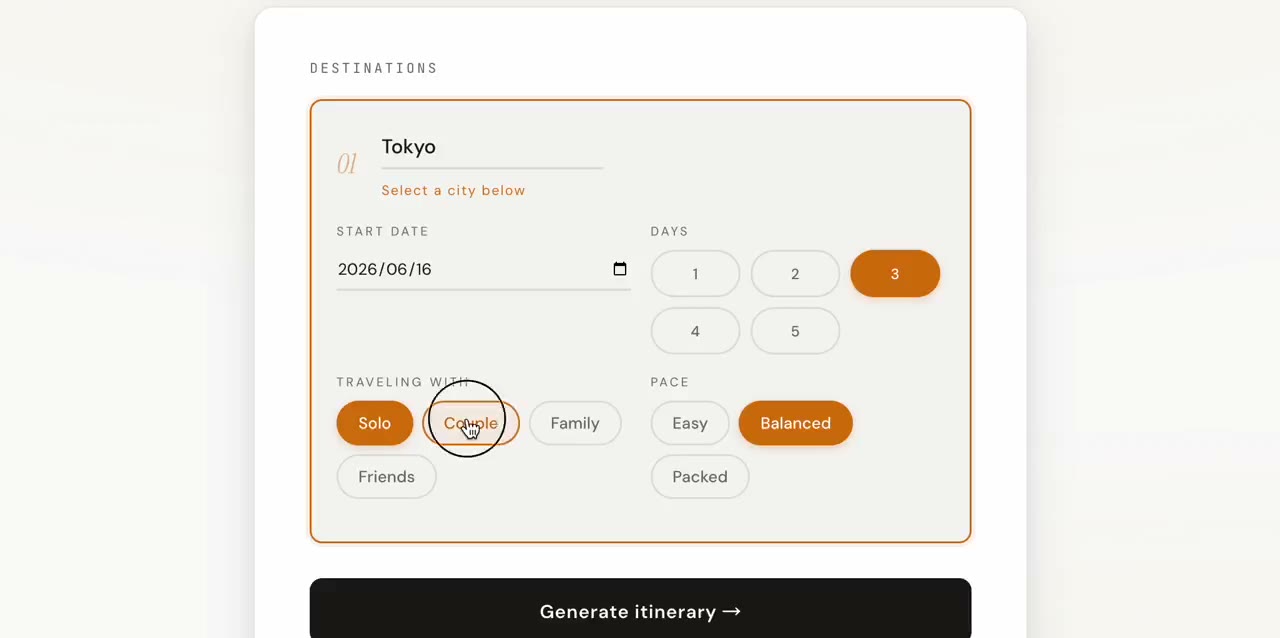
Set your trip style
Choose how many days (1–5), who you're travelling with — Solo, Couple, Family, or Friends — and the pace that suits you: Easy (leisurely, fewer spots), Balanced (the sweet spot), or Packed (maximum sightseeing).
Optionally add must-visit spots in the text field. Type a landmark and press Enter — these places get priority in your itinerary no matter what.
Curate your picks
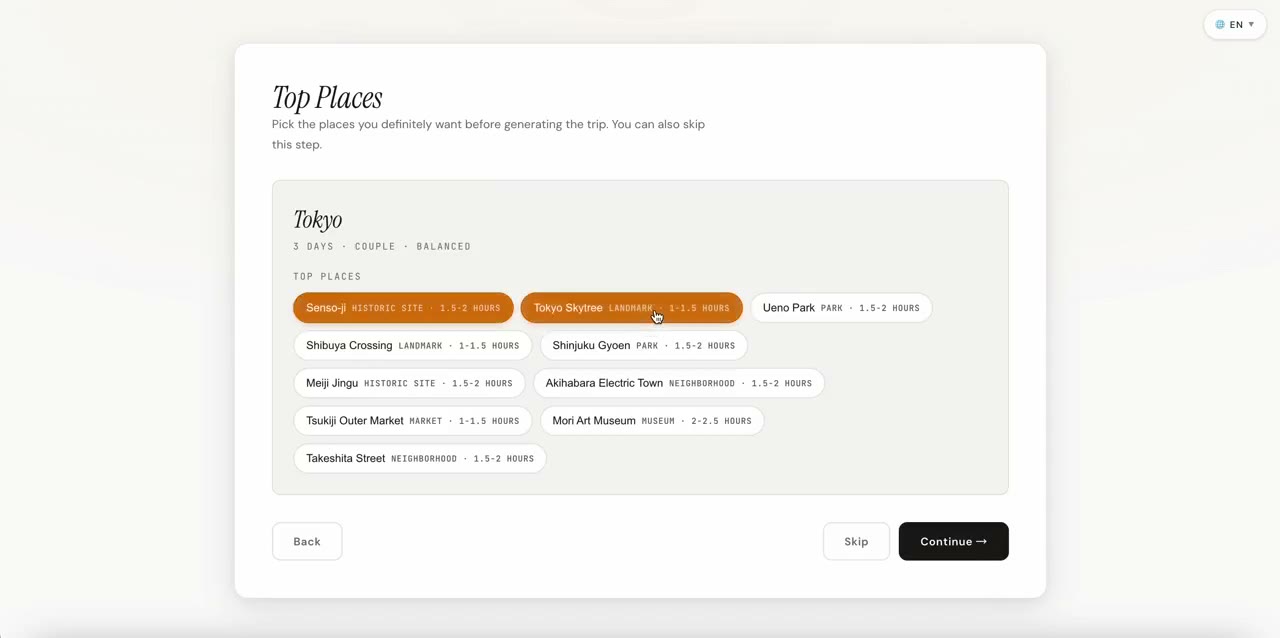
Before generating the full itinerary, CityWalk Plan shows a short list of real places from its destination catalog. Browse them and check any spots you definitely want included.
You can skip this step entirely if you want CityWalk Plan to handle all selections automatically.
Generate your itinerary
Hit Generate itinerary → and CityWalk Plan builds a day-by-day plan from real catalog places and their map coordinates. It groups nearby stops and orders them geographically; use Open walking directions for street-level navigation.
Generation takes about 5–10 seconds. Each day gets a logical flow based on geography and your chosen pace.
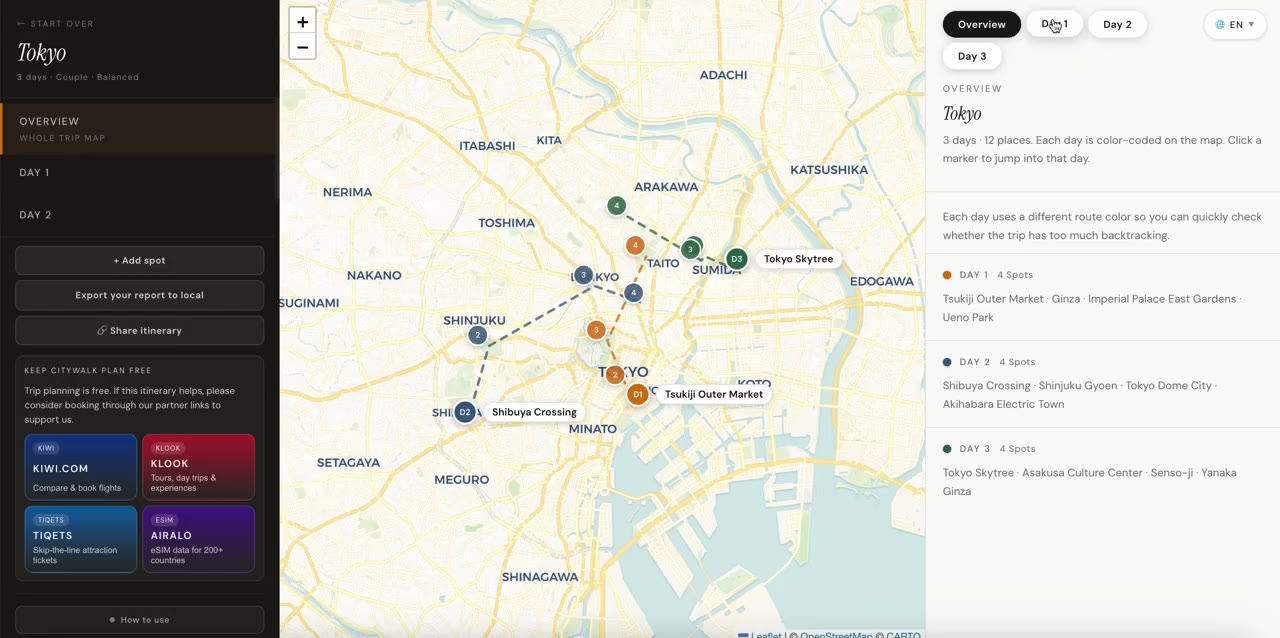
Explore and refine on the map
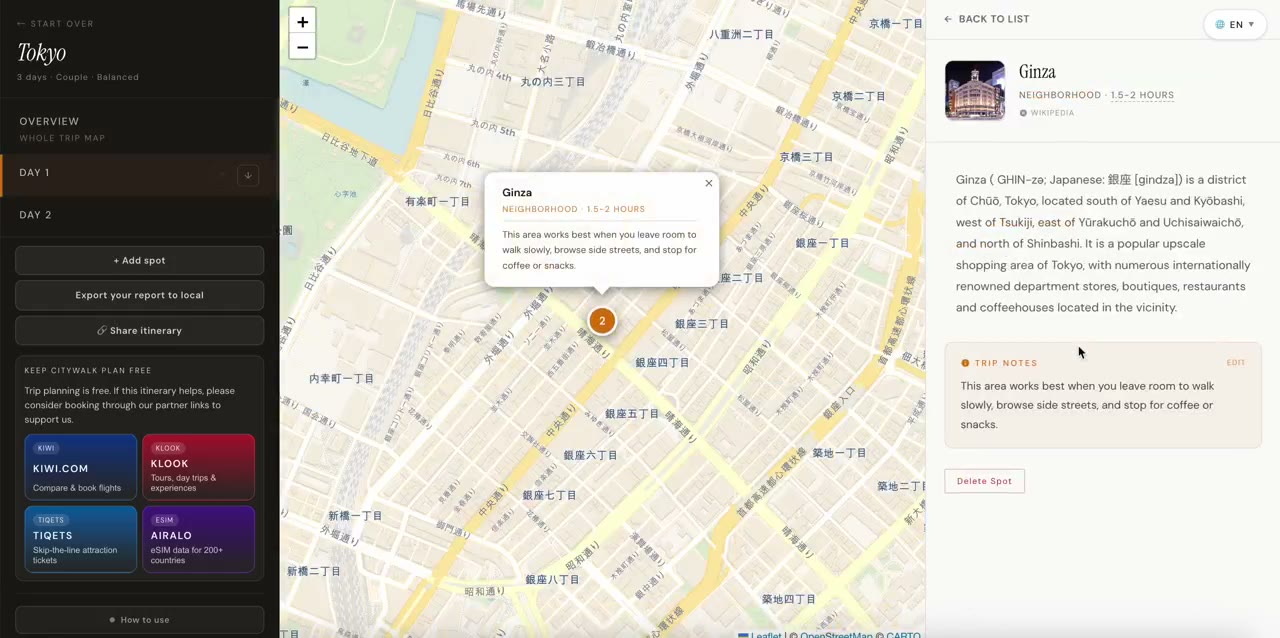
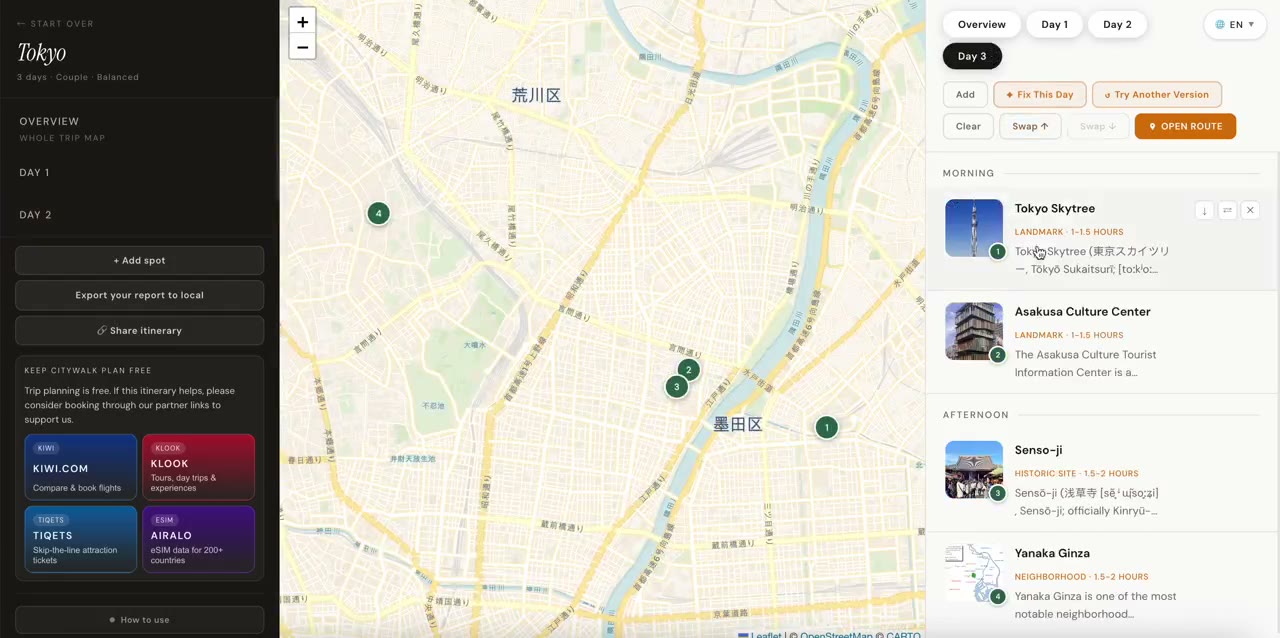
Your itinerary appears with an interactive map showing all spots. Click any spot on the map or in the list to see its details — photos, Wikipedia link, category, and which day it's on.
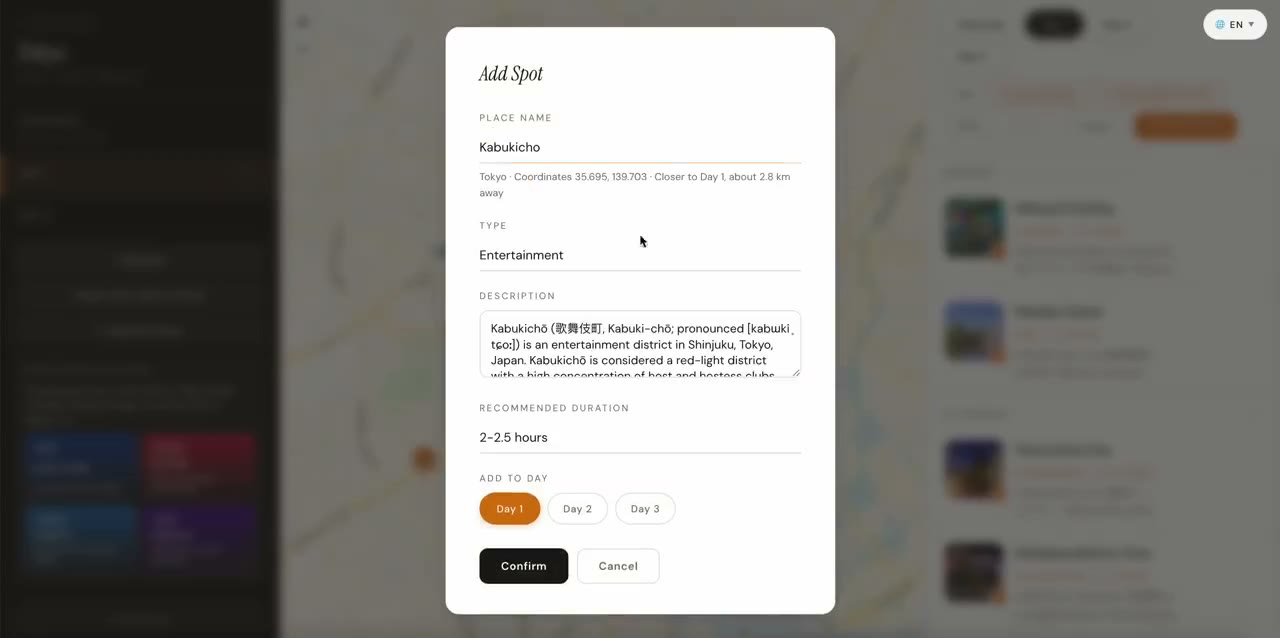
Need to make changes? Use Move to Day to reassign a spot, the up/down arrows to reorder it, or delete spots you don't want. Add extra catalog places with + Add spot.
Export and go
When your itinerary is ready, click Export → in the sidebar. The downloaded HTML includes the schedule, place details, map view, and useful links. Print or save it as a PDF for dependable offline reading; interactive maps and external links still need internet access.
No account is needed. CityWalk Plan keeps up to six recent plans on this browser so you can reopen them from the homepage. Use Share or Export when you need another device or a durable backup.
Share with friends
Want to plan together or send your itinerary to a travel companion? Click 🔗 Share itinerary in the sidebar (or the Share button at the bottom of the screen on mobile) to generate a unique shareable link.
Anyone with the link can open your full interactive itinerary — all spots, the map, and day-by-day schedule — right in their browser, with no account needed. They can also edit it and save their own version.